说明
实现同样的效果:
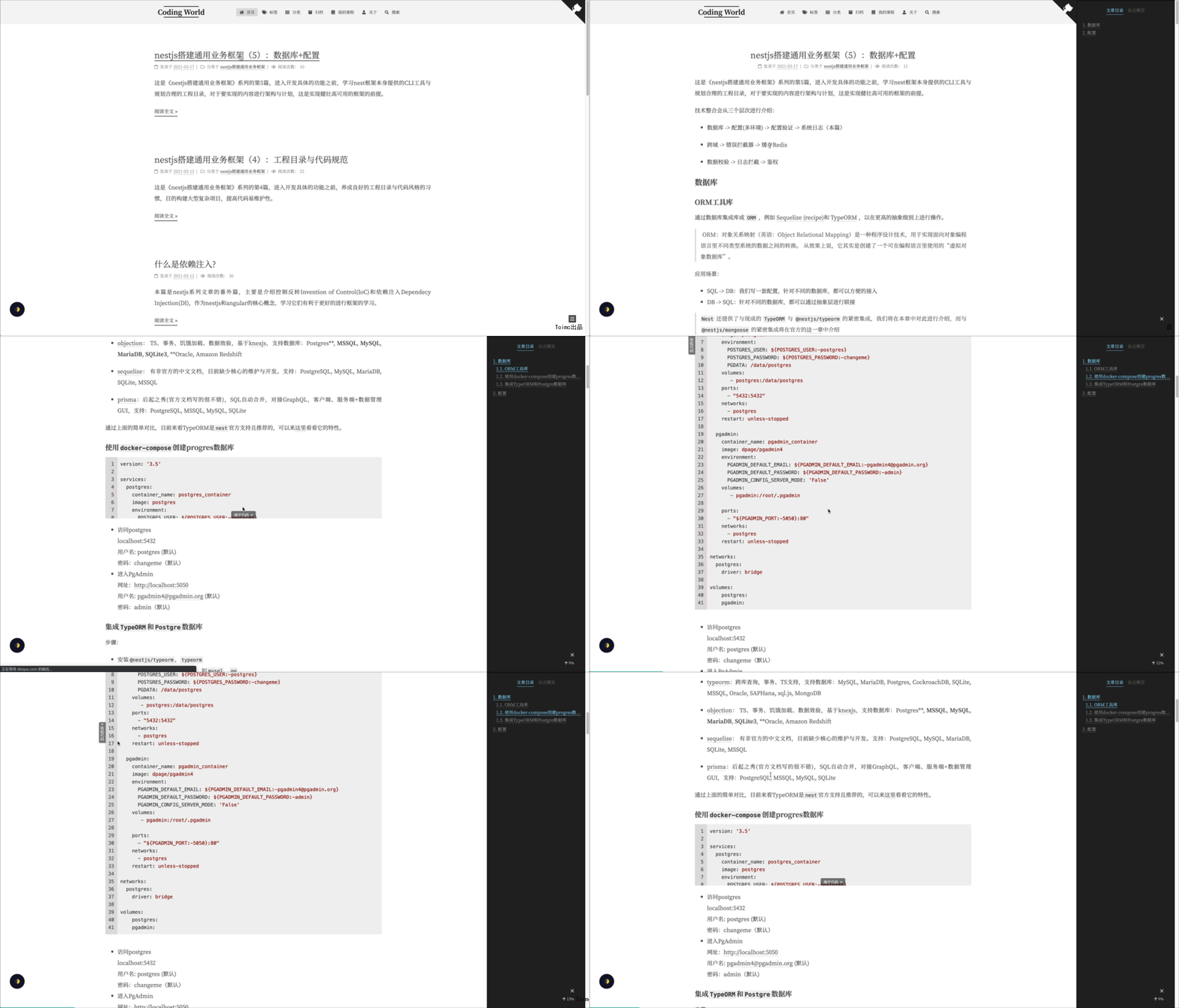
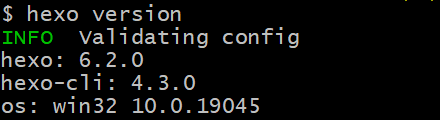
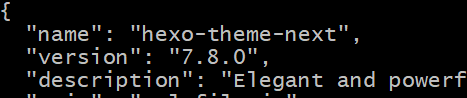
本博客环境:hexo@6.2.0,next@7.8.0,以下所有代码,建立在这个基础之上。
由 jQuery
选择器选择代码模块.highlight相关的DOM节点,给超过某个高度的代码模块添加展开收起的盒子,让盒子实现展开隐藏效果。[1]
hexo version即可查看hexo版本;
查看theme/next/package.json即可查看next版本;
1、添加 code-unfold.js
把code-unfold.js放置在了themes/next/source/js/code-unfold.js
1
2
3
4
5
6
7
8
9
10
11
12
13
14
15
16
17
18
19
20
21
22
23
24
25
26
27
28
29
30
31
32
33
34
35
36
37
38
39
40
41
42
43
44
45
46
47
48
49
50
51
52
53
54
55
56
57
58
59
60
61
62
63
64
65
66
67
68
69
70
71
72
73
74
75
76
77
78
79
80
81
82
83
84
85
86
87
88
89
90
91
| var CODE_MAX_HEIGHT = 200;
var containers = [];
// 展开
$('body').on('click', '.js_unfold_code_btn', function () {
$(this).closest('.js_highlight_container').addClass('on');
});
// 收起
$('body').on('click', '.js_retract_code_btn', function () {
var $container = $(this).closest('.js_highlight_container').removeClass('on');
var winTop = $(window).scrollTop();
var offsetTop = $container.offset().top;
$(this).css('top', 0);
if (winTop > offsetTop) {
// 设置滚动条位置
$('body, html').animate({
scrollTop: $container.offset().top - CODE_MAX_HEIGHT
}, 600);
}
});
// 滚动事件,触发动画效果
$(window).on('scroll', function () {
var scrollTop = $(window).scrollTop();
var temp = [];
for (let i = 0; i < containers.length; i++) {
var item = containers[i];
var { $container, height, $hide, hasHorizontalScrollbar } = item;
if ($container.closest('body').length === 0) {
// 如果 $container 元素已经不在页面上, 则删除该元素
// 防止pjax页面跳转之后,元素未删除
continue;
}
temp.push(item);
if (!$container.hasClass('on')) {
continue;
}
var offsetTop = $container.offset().top;
var hideBtnHeight = $hide.outerHeight();
// 减去按钮高度,减去底部滚动条高度
var maxTop = parseInt(height - (hasHorizontalScrollbar ? 17 : 0) - hideBtnHeight);
let top = parseInt(
Math.min(
Math.max(scrollTop - offsetTop, 0), // 如果小于 0 ,则取 0
maxTop,// 如果大于 height ,则取 height
)
);
// 根据 sin 曲线设置"收起代码"位置
var halfHeight = parseInt($(window).height() / 2 * Math.sin((top / maxTop) * 90 * (2 * Math.PI/360)));
$hide.css('top', Math.min(top + halfHeight, maxTop));
}
containers = temp;
});
// 添加隐藏容器
function addCodeWrap($node) {
var $container = $node.wrap('<div class="js_highlight_container highlight-container"><div class="highlight-wrap"></div></div>').closest('.js_highlight_container');
// 底部 "展开代码" 与 侧边栏 "收起代码"
var $btn = $(`
<div class="highlight-footer">
<a class="js_unfold_code_btn show-btn" href="javascript:;">展开代码<i class="fa fa-angle-down" aria-hidden="true"></i></a>
</div>
<a class="js_retract_code_btn hide-btn" href="javascript:;"><i class="fa fa-angle-up" aria-hidden="true"></i>收起代码</a>
`);
$container.append($btn);
return $container;
};
function codeUnfold () {
$('.highlight').each(function () {
// 防止重复渲染
if (this.__render__ === true) {
return true;
}
this.__render__ = true;
var $this = $(this);
var height = $(this).outerHeight();
if (height > CODE_MAX_HEIGHT) {
// 添加展开&收起容器
var $container = addCodeWrap($this, height);
containers.push({
$container,
height,
$hide: $container.find('.js_retract_code_btn'),
hasHorizontalScrollbar: this.scrollWidth > this.offsetWidth,
});
}
});
};
|
2、添加 jquery
修改next主题配置文件:
因为fancybox会依赖jquery,所以设置成true;
3、引用 code-unfold.js
修改文件themes/next/layout/_scripts/index.njk
1
2
| // 在最后添加
{{- next_js('code-unfold.js') }}
|
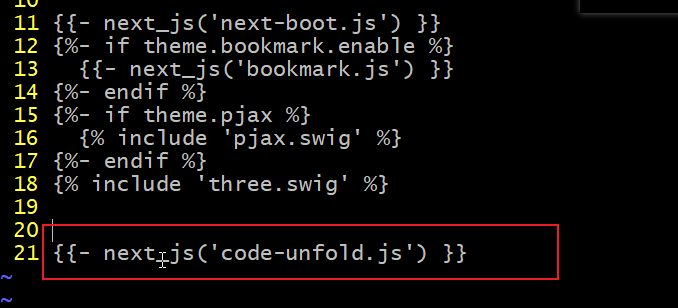
next8.0的模板是使用njk,旧版是使用swig[2];我的next是7.8版本,没有 index.njk
文件只有 index.swig
文件;查看了njk文件感觉和添加进去的代码格式似乎没有差别,尝试将以上代码添加到
index.swig 文件中;
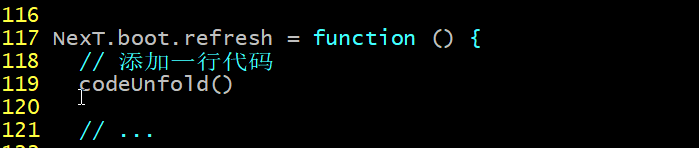
下面找到文件themes/next/source/js/next-boot.js:
1
2
3
4
5
| NexT.boot.refresh = function () {
// 添加一行代码
codeUnfold()
// ...
|
4、添加样式
1、创建 highlight.styl
可以添加theme/next/source/css/_common/components/highlight.styl文件:
1
2
3
4
5
6
7
8
9
10
11
12
13
14
15
16
17
18
19
20
21
22
23
24
25
26
27
28
29
30
31
32
33
34
35
36
37
38
39
40
41
42
43
44
45
46
47
48
49
50
51
52
53
54
55
56
57
58
59
60
61
62
63
64
65
66
| // 展开收起效果
.highlight-container
position: relative
background-color: highlight-background
&.on
.highlight-footer
display: none
.hide-btn
display: flex
.highlight-wrap
max-height: none
.highlight-wrap
overflow: hidden
max-height: 200px
.highlight-footer
position absolute
width: 100%
left: 0
bottom: 0
height: 60px
background-image: 'linear-gradient(-180deg, rgba(255,255,255,0) 0%, %s 65%)' % highlight-background;
text-align: center
.show-btn
font-size: 12px
color: #fff
position: absolute
left: 50%
transform: translateX(-50%)
bottom: 0
line-height: 2em
text-decoration: none
padding: 0 0.8em
text-align: center
border-radius: 4px 4px 0
&:hover
text-decoration: none
.hide-btn
color: #fff
font-size: 12px
width: 22px
position: absolute
left: -21px
top: 0
line-height: 1em
text-decoration: none
text-align: center
display: none
flex-direction: column
background-color: highlight-background
border-radius: 4px 0 0 4px
padding: 0.1em 0 0.6em
transition: top ease 0.35s
.fa-angle-up,
.fa-angle-down
font-style: normal
color: #fff
.fa-angle-up:before
content:"\f106"
.fa-angle-down:before
content:"\f107"
margin-left: 0.5em
.js_unfold_code_btn, .js_retract_code_btn
background: rgba(0,0,0,0.5)
border-bottom: none !important
&:hover
border-bottom-color: none !important
|
max-height: 200px:为设置代码块折叠之后的高度。
2、引用样式 找到文件
themes/next/source/css/_common/components/index.styl:
1
2
3
4
5
6
| @import 'post';
@import 'pages';
@import 'third-party';
// 添加这一行,不要加分号!!
@import 'highlight'
|
该目录下(
themes/next/source/css/_common/components/)没找到
index.styl ,尝试将 @import 'highlight' 添加到
components.styl ,看是否可行;
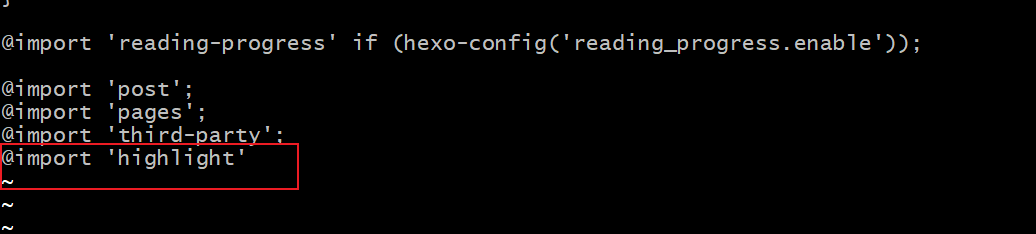
实现了想要的效果,做的修改是可行的!
参考文章