0%

array

Numpy的数据结构是n维的数组对象,叫做ndarray。 NumPy数组一般是同质的(但有一种特殊的数组类型例外,它是异质的),即数组中的所有元素类型必须是一致的。[1]

优点:

  • 内存块风格:ndarray中的所有元素的类型都是相同的,存储元素时内存可以连续,在科学计算中,Numpy的ndarray就可以省掉很多循环语句,代码使用方面比Python原生list简单的多。
  • ndarray支持并行化运算(向量化运算)
  • Numpy底层使用C语言编写,内部解除了GIL(全局解释器锁),其对数组的操作速度不受Python解释器的限制,效率远高于纯Python代码。
Read more »

保存矢量图

语法[1]

savefig(fname, dpi=None, facecolor=’w’, edgecolor=’w’, orientation=’portrait’, papertype=None, format=None, transparent=False, bbox_inches=None, pad_inches=0.1, frameon=None, metadata=None)

简单使用:

1
2
plt.savefig('C:\\Users\\Lenovo\\Pictures\\test03.svg', format='svg',dpi = 600,transparent=False,bbox_inches='tight')
plt.show()
  • fname即 test03.svgformat='svg'dpi = 600 为导出矢量图的三个参数
  • transparent=False :照片背景不要透明
  • bbox_inches='tight' :使未保存到图中的图例(或其他部分)包含进来,避免图片保存下来不全。bbox_inches的作用是调整图的bbox, 即bounding box(边界框)[2]
Read more »

起因:为了设置画布不透明效果

对象形式:[1]

1
2
3
4
5
6
7
8
9
10
11
12
13
14
import matplotlib.pyplot as plt
fig = plt.figure()
fig.patch.set_facecolor('white') # 设置画布白色不透明(坐标轴外),再画图
fig.patch.set_alpha(1)
ax = fig.add_subplot(111) # 创建1*1的网格,并添加第一个网格
ax.patch.set_facecolor('white') # 设置白色不透明(坐标轴内)
ax.patch.set_alpha(1)

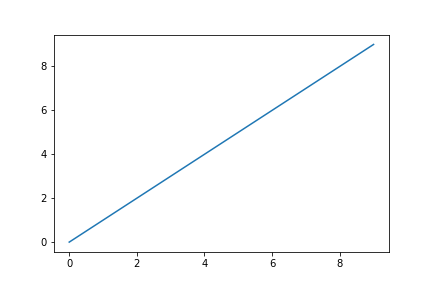
ax.plot(range(10))

# If we don't specify the edgecolor and facecolor for the figure when
# saving with savefig, it will override the value we set earlier!
fig.savefig('test01.png', facecolor=fig.get_facecolor(), edgecolor='none') # 一定要加这俩个参数,否则保存后会被改掉参数
plt.show()

Read more »

npm镜像:

淘宝:http://registry.npm.taobao.org

腾讯云:http://mirrors.cloud.tencent.com/npm/

华为云:https://mirrors.huaweicloud.com/repository/npm/

Read more »

需求:让 hexo 的 next 主题支持渲染 LaTeX 语法的数学公式。

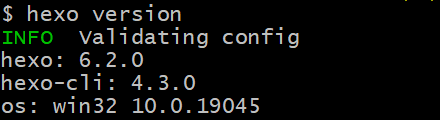
环境: hexo version即可查看hexo版本; img

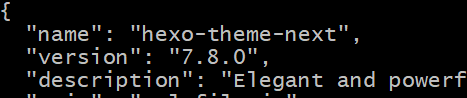
查看theme/next/package.json即可查看next版本; img

Read more »

需求

波士顿房价数据集在scikit-learn1.2版本以后被移除了。 目前自己用的刚好是1.2版本,但是需要复现书中的一些代码(Python机器学习基础教程),所以需要从其他途径获取波士顿房价数据集,主要是获得data(506, 104)和相关的target。

Read more »

临时换源:

1
pip install django -i https://pypi.tuna.tsinghua.edu.cn/simple

清华:https://pypi.tuna.tsinghua.edu.cn/simple 中科大:https://mirrors.bfsu.edu.cn/pypi/web/simple/ 阿里云:https://mirrors.aliyun.com/pypi/simple/ 豆瓣:http://pypi.doubanio.com/simple/

Read more »
+